
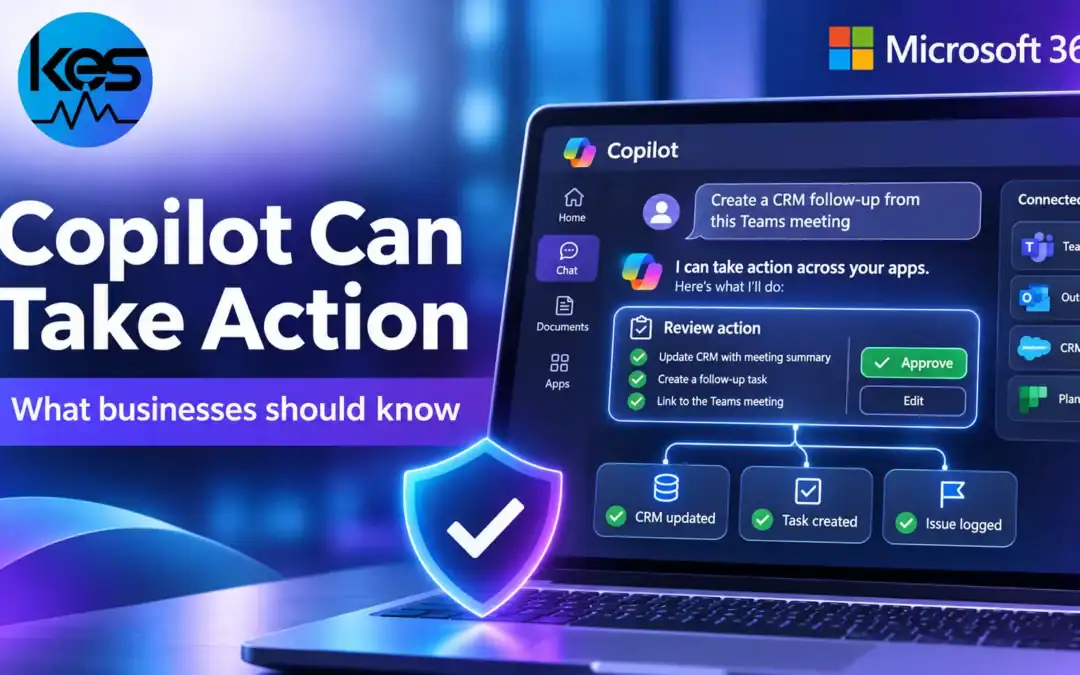
Microsoft has made Copilot connector write actions generally available across Copilot Chat and Cowork. These new Microsoft Copilot actions mean Copilot can now do more than find information and summarise it: with supported connectors, it can create, update or delete information in connected business applications after the user reviews and approves the proposed action.
For businesses, this is an important step. Copilot is moving from being mainly an assistant that answers questions into a tool that can take approved actions across the systems staff already use.
What are Microsoft Copilot actions?
Until now, much of the value of Copilot has centred on reading business information, summarising it and helping users make decisions. Connector write actions extend that by allowing Copilot to act on information in connected applications.
Microsoft gives examples including:
- turning a Teams meeting transcript into a CRM activity and follow-up task;
- turning Outlook escalations into tracked product issues;
- creating records in a connected accounting system from approved Excel rows;
- updating Jira work items and Confluence pages;
- updating Notion documents and databases; and
- creating designs in Canva from information already available in Copilot.
The exact actions available depend on the connector, its configuration and the permissions granted to the user.
Does Copilot just make changes automatically?
No, not by default.
Microsoft says that new write tools start with Needs approval. When Copilot wants to create, update or delete information, it displays a confirmation card showing the tool it wants to use and the information that will be sent to the connected application.
The user can then review the proposed action before approving it.
For an individual tool, users can choose:
- Allow once – approve the action this time and be asked again next time; or
- Always allow – allow future use of that specific tool without the same confirmation step.
Those preferences can be changed later in Copilot settings.
Why Microsoft Copilot actions matter to SMEs
The practical benefit is less manual re-keying between systems. A meeting can become a follow-up task, a customer issue can become a tracked ticket, or approved information can be written into another business application without the user copying and pasting it manually.
That can make everyday workflows faster, particularly where staff already move information between Microsoft 365 and other business applications.
But Microsoft Copilot actions also change the risk profile. Once an AI assistant can write to a system rather than simply read from it, permissions, connector configuration and approval behaviour become more important.
What should businesses check before enabling write actions?
1. Review which connectors are enabled
Businesses should know which external applications are connected to Copilot and what each connector can do. A connector that only reads information presents a different level of risk from one that can create, edit or delete records.
2. Check user permissions
Copilot does not remove the need for sensible access control. Users should only have access to the systems and information required for their role.
If someone already has excessive permissions in a connected application, allowing Copilot to act on their behalf can make those permissions easier to use at speed.
3. Keep approval controls in place initially
For most businesses, the sensible starting point is to keep write actions set to require approval while users become familiar with how the feature behaves.
“Always allow” may be appropriate for a well-understood, low-risk workflow, but it should not become the default simply to remove prompts.
4. Start with controlled use cases
Rather than connecting every available system immediately, choose one or two useful workflows and test them with a small group of users.
For example, a business might start by turning Teams meeting outcomes into CRM follow-up activities or converting agreed tasks into Planner or another work-management system.
5. Think about data leaving Microsoft 365
A connector may send information from Microsoft 365 to a third-party application. The confirmation card helps users see what Copilot intends to send, but businesses should still understand where their data is going and whether the destination is approved.
Can administrators see which connectors can write data?
Yes. Microsoft says administrators can review MCP-based Copilot connectors in the Microsoft 365 admin centre and identify which tools can create, update or delete information.
This is an important governance control, especially as the number of connectors available to Copilot grows.
Where are Microsoft Copilot actions available?
Microsoft says connector write actions are now generally available across Copilot Chat and Cowork. The company says write actions are coming soon to Copilot in Office applications as well.
That distinction matters: businesses should not assume every Copilot surface supports the same actions today.
How does this fit with other Copilot changes?
This is part of a broader shift towards Copilot becoming more task-oriented. KES recently covered Copilot Skills in Copilot Chat, which allow users to reuse structured instructions and workflows.
Write-enabled connectors take that idea a step further by allowing Copilot to carry approved actions into connected applications.
It also reinforces the governance point raised in our article on AI agents and insider risk: the more an AI system can do on a user's behalf, the more important identity, permissions and oversight become.
What should KES customers do now?
There is no need to rush to enable every available connector. The useful first step is to understand where Copilot is already in use, which applications staff would genuinely benefit from connecting, and what permissions those applications expose.
For most SMEs, a controlled pilot is the sensible approach:
- choose a clearly defined workflow;
- use a small test group;
- keep write actions approval-based;
- review permissions before connecting the application; and
- confirm where business data will be sent or stored.
Used carefully, Microsoft Copilot actions can remove repetitive administration and make Copilot much more useful. Used without adequate governance, they can also allow mistakes to travel further and faster.
Quick answers
Can Microsoft Copilot now update other business applications?
Yes, where a supported connector provides write actions. Copilot can create, update or delete information in connected applications, subject to the connector, configuration and user permissions.
Does Copilot ask before making changes?
By default, new write tools require approval. Copilot shows a confirmation card so the user can review the proposed action before allowing it.
Can users remove the approval prompt?
For a specific tool, users can choose an “Always allow” option. Businesses should consider carefully which actions are suitable for that level of trust.
Are connector write actions available in Office apps?
Not yet across the board. Microsoft says they are generally available in Copilot Chat and Cowork, with write actions coming soon to Copilot in Office apps.
Source
Information checked 10 November 2026. Copilot features, connector capabilities and licensing can change, so businesses should verify current Microsoft documentation and their own tenant settings before rollout.
