
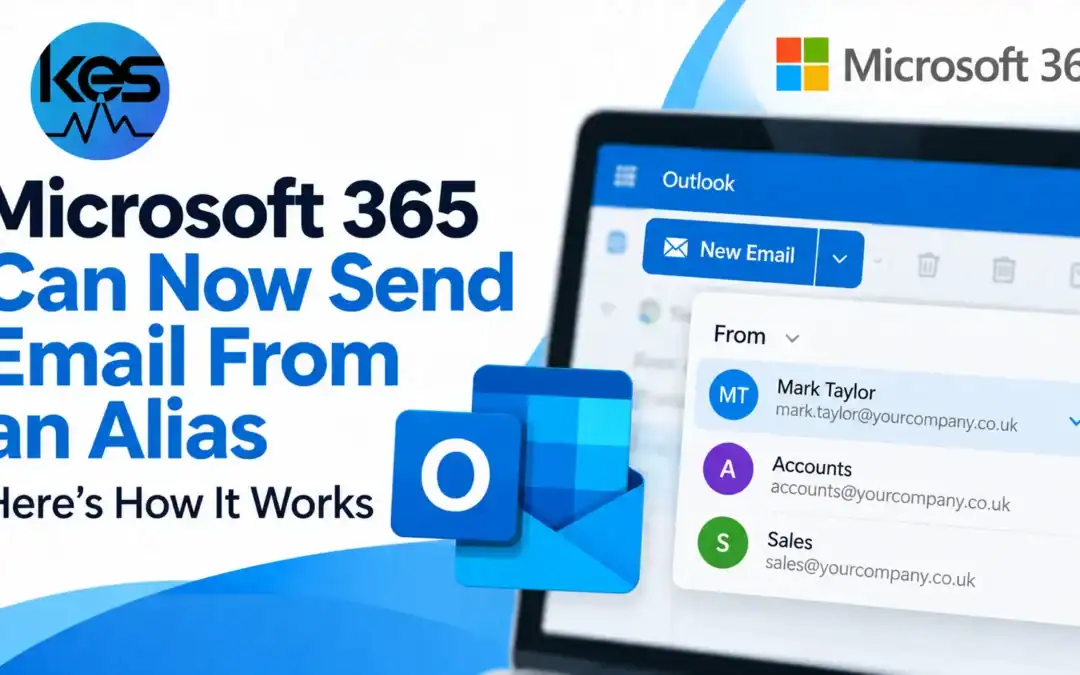
Microsoft has made “Send from Alias” generally available in Exchange Online. This means a Microsoft 365 user can send email from one of the secondary email addresses already attached to their mailbox, instead of every outgoing message having to use the primary address.
Microsoft confirmed General Availability on 7 October 2026. The feature has existed in Public Preview for some time, but GA is important because Microsoft now treats it as a supported Exchange Online capability rather than an experimental option.
For small businesses, this can remove a common workaround. A user who receives mail at several business addresses may no longer need a separate shared mailbox or distribution group simply to send from an alternative address.
What is an email alias in Microsoft 365?
An email alias is an additional email address attached to the same mailbox. A user might have one primary mailbox address plus separate aliases for accounts, sales or another business role.
Historically, aliases were mainly a receiving feature. Exchange Online would accept email sent to the alias, but outgoing messages were normally rewritten to use the mailbox’s primary SMTP address.
Microsoft’s new GA feature changes that. Once the organisation enables Send from Alias, users can send from a configured alias and compatible Outlook clients can preserve that alias as the visible From address.
How does Send from Alias work in Outlook?
After the feature has been enabled by an administrator, supported Outlook clients can let the user choose one of their configured aliases in the From field.
Microsoft says the feature works with supported Outlook clients, including Outlook on the web and current Outlook applications. Replies can also use the alias that originally received the message, which makes the experience more natural for conversations started on an alternative address.
This is especially useful where one person handles several roles but does not need separate mailboxes for each address.
It is important to understand that this is not the same as Send As permission for another mailbox. The alias must belong to the user’s own Exchange Online mailbox. If someone needs to send as a shared mailbox or another person’s mailbox, the normal Exchange mailbox permission model still applies.
Does Microsoft 365 enable this automatically?
No. Exchange Online administrators need to enable the organisation-wide setting before users can send from their aliases.
Microsoft documents this through the Exchange Online organisation setting SendFromAliasEnabled. In Exchange Online PowerShell, the feature can be enabled with the organisation configuration. Microsoft also documents an Exchange Admin Center route for administrators who prefer to use the web interface.
Because the setting is tenant-wide, businesses should review how aliases are being used before switching it on. Old aliases, addresses created for temporary projects, or unusual routing arrangements may behave differently once users can actively send from them.
If you do not manage Exchange Online yourself, this is something your IT provider can check for you as part of normal Microsoft 365 management.
What should businesses check before enabling it?
- Review existing aliases. Make sure the secondary addresses on each mailbox are still required and correctly assigned.
- Check mail-flow and security rules. Rules, journaling, reporting or third-party security tools may have been designed around a user’s primary address rather than their aliases.
- Test your Outlook clients. Microsoft notes that behaviour can vary between clients and some edge cases remain.
- Review message tracing. Microsoft says that when tracing a message sent to or from an alias, you should search using the alias that was actually used.
- Do not confuse aliases with shared mailboxes. If several staff need to use the same address, a shared mailbox may still be the better design.
Microsoft also calls out a few known gaps. Shared-mailbox alias scenarios are not fully covered across every Outlook client, and organisations with unusual display-name or routing configurations should test carefully before rolling the setting out widely.
Not sure whether your Microsoft 365 email setup is still right for your business?
KES can review aliases, shared mailboxes, mail flow and Microsoft 365 configuration so your email setup matches how your team actually works.
When is Send from Alias available?
Microsoft announced General Availability on 7 October 2026. Organisations that previously used the Public Preview can continue using the feature, while other Exchange Online tenants can now assess whether it fits their email setup.
The feature applies to Exchange Online. It should not be assumed to work the same way in on-premises Exchange Server environments.
Will this replace shared mailboxes?
No. Aliases and shared mailboxes solve different problems.
An alias is best when one person owns several addresses that all belong to the same mailbox. A shared mailbox is usually better when multiple people need to read, reply from and manage one common address.
For many SMEs, the new alias feature may simplify individual role addresses. It should not be used to avoid a proper shared-mailbox design where several users need access.
What happens if you do nothing?
Nothing breaks simply because Microsoft has made the feature generally available. If your organisation does not enable Send from Alias, users will continue working as before and outgoing mail will continue to use the mailbox’s primary address in the normal way.
The change is therefore an opportunity rather than a mandatory migration. If staff regularly ask to send from secondary addresses, it is worth reviewing. If your current setup already works well, there is no urgent reason to change it.
Quick answers
Can Outlook send from an email alias?
Yes, if the alias belongs to the user’s Exchange Online mailbox and the organisation has enabled Send from Alias.
Do I need a separate Microsoft 365 licence for an alias?
An alias is attached to an existing mailbox, so it does not create a separate mailbox or user account by itself.
Can several employees send from the same alias?
That is normally a shared-mailbox scenario rather than a personal alias scenario. A shared mailbox gives multiple authorised users a better way to work with one common address.
Can I reply using the alias that received the message?
Microsoft says supported Outlook clients can preserve the receiving alias when replying, helping the conversation continue from the expected address.
Sources
