
Why Microsoft 365 Needs Active Threat Monitoring
Microsoft invests heavily in securing the Microsoft 365 platform, but businesses remain responsible for how their own environment is configured, monitored and managed.
Compromised accounts, suspicious sign-ins, privilege changes and malicious inbox rules often occur inside legitimate Microsoft 365 environments. Without active monitoring, these events can go unnoticed until they begin affecting users, data or business operations.
KES helps businesses gain greater visibility across Microsoft 365 by identifying unusual behaviour, monitoring security events and responding to potential threats before they become larger incidents.
Suspicious Sign-Ins
Detect unusual login activity, impossible travel events and authentication attempts from unexpected locations.
Permission Changes
Monitor administrative changes, elevated privileges and risky access modifications across Microsoft 365.
Compromised Accounts
Identify indicators of account takeover, suspicious user behaviour and potential business email compromise activity.
What We Monitor Across Microsoft 365
Microsoft 365 threat detection is about spotting unusual activity before it turns into a business incident. KES monitors the behaviours and changes that often indicate compromised accounts, risky access or unauthorised activity.
Suspicious Sign-Ins
Unusual locations, impossible travel events and abnormal login behaviour that may indicate account compromise.
MFA Changes
Unexpected MFA resets, removals or authentication changes that could weaken account protection.
Privilege Changes
New admin rights, elevated permissions or role changes that may increase risk across the environment.
Inbox Rule Activity
Suspicious mailbox forwarding rules or hidden inbox changes commonly linked to business email compromise.
Guest Access
External users, sharing changes and guest access activity across Teams, SharePoint and OneDrive.
Risky User Behaviour
Patterns of activity that may suggest compromised accounts, unusual access or behaviour outside normal usage.
Common Microsoft 365 Threats We Detect
Many Microsoft 365 security incidents do not begin with malware or ransomware. They often start with legitimate accounts being misused, permissions changing unexpectedly or unusual activity going unnoticed.
By monitoring Microsoft 365 environments proactively, businesses can gain earlier visibility of potential threats and reduce the time between detection and response.
Business Email Compromise
Attackers gain access to a mailbox and use it to impersonate staff, redirect payments, intercept conversations or manipulate financial processes.
Compromised User Accounts
Stolen credentials, password reuse or phishing attacks can allow unauthorised access to Microsoft 365 services without triggering immediate suspicion.
Suspicious Inbox Rules
Malicious mailbox rules can hide messages, forward emails externally or prevent users from noticing unusual activity.
Privilege Escalation
Administrative permissions or elevated access rights may be granted without appropriate oversight, increasing business risk.
Guest Access Risks
External users and third-party collaborators can create unintended exposure if sharing permissions are not reviewed regularly.
Excessive File Sharing
Sensitive files and folders may become accessible to wider audiences than intended through misconfigured sharing settings.
Why Microsoft 365 Security Monitoring Matters
Microsoft provides powerful security capabilities, but most businesses still face a visibility challenge. Suspicious sign-ins, permission changes, inbox rule creation and unusual user behaviour can occur without immediate awareness.
KES uses specialist Microsoft 365 monitoring platforms to identify, correlate and investigate security events across Microsoft 365 environments. This helps businesses gain greater visibility into user activity and respond more quickly when potential threats are detected.
Rather than waiting for a support ticket or user report, security monitoring provides proactive insight into the activity taking place across Microsoft 365, helping reduce risk and improve accountability.
Continuous Monitoring
Monitor Microsoft 365 activity for suspicious events, unusual sign-ins and risky behaviour.
Faster Investigation
Identify potential threats more quickly and understand what actions have taken place.
Improved Visibility
Gain clearer insight into permissions, user activity and security-related changes.
Operational Confidence
Reduce uncertainty and strengthen confidence in how Microsoft 365 is being managed.
Microsoft 365 Security & Management Articles
Explore practical guidance covering Microsoft 365 security, permissions management, account protection, backup strategies and operational best practices for growing businesses.

Why Has Remote Desktop Stopped Working After the Latest Windows Update?
Microsoft has confirmed that recent Windows updates can cause Remote Desktop connections to fail for non-admin users when Administrator protection is enabled. Here’s what businesses should check.
Office LTSC 2021 and Publisher Reached End of Support Yesterday – What Your Business Should Do
Office LTSC 2021 and Microsoft Publisher reach end of support on 13 October 2026. Here is what UK businesses still running them should do next.
Microsoft October 2026 Security Update Fixes Actively Exploited Windows Zero-Day
Microsoft’s October 2026 security update fixes an actively exploited Windows Shell zero-day and two other publicly disclosed zero-days. Here’s what businesses should do now.

Microsoft Is Retiring Targeted Release – What Replaces It in 2027?
Microsoft is retiring Targeted Release in January 2027, with enrolment changes stopping in November 2026. Here’s what replaces it and what businesses should check.
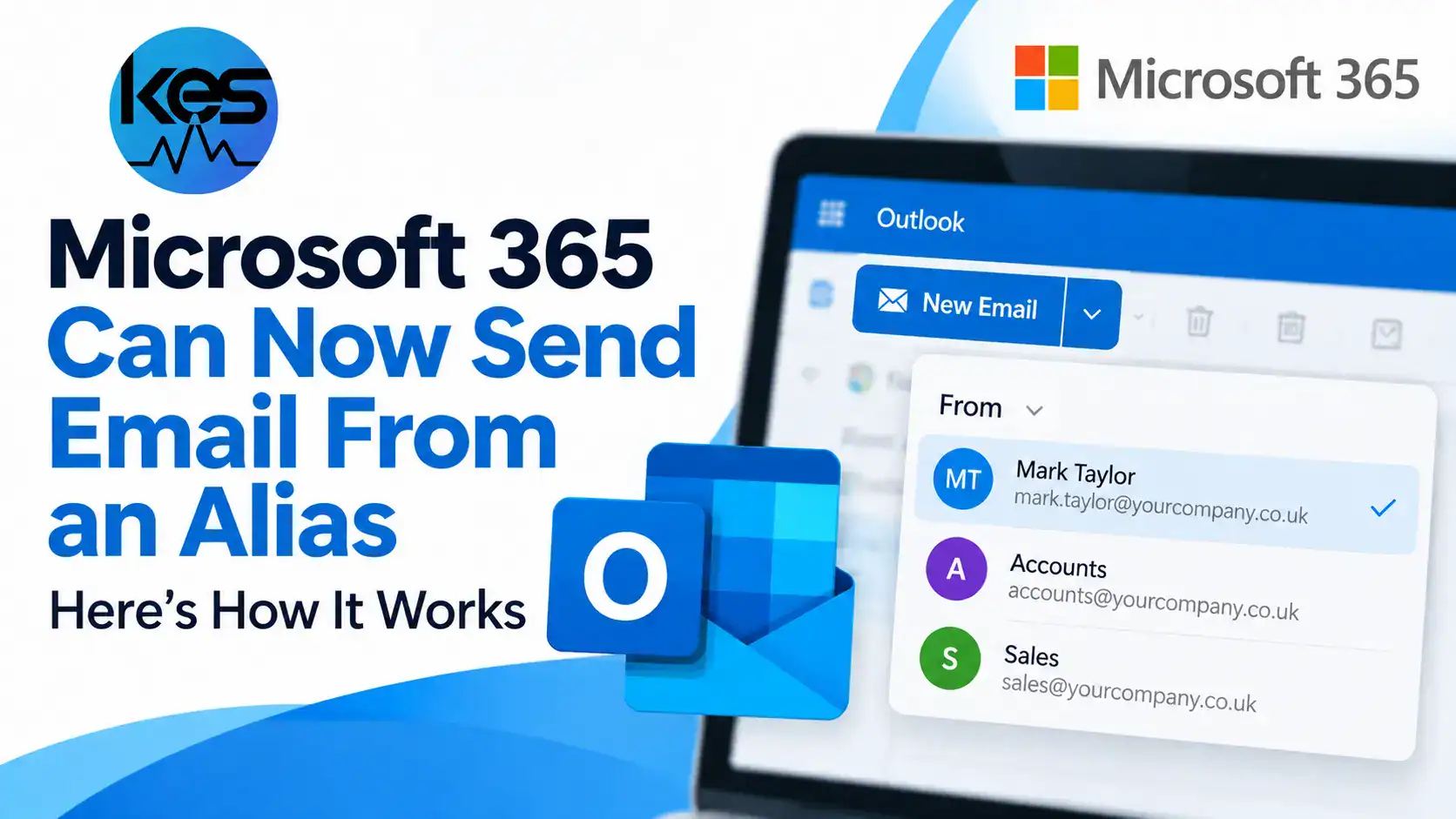
Microsoft 365 Can Now Send Email From an Alias – Here’s How It Works
Microsoft 365 users can now send from email aliases in Exchange Online. Here’s how it works, what administrators must enable and what businesses should check.
SharePoint Can Now Split and Merge PDFs with Copilot
Copilot can now reorganise PDFs in SharePoint. Learn what is new, which licence is needed and how this differs from existing Merge and Extract options.
Microsoft 365 Threat Detection & Response FAQs
Does Microsoft 365 include threat detection?
Microsoft 365 includes a range of built-in security features, particularly within Business Premium and enterprise plans. However, many businesses still lack visibility into suspicious activity, account compromise indicators and unusual user behaviour. Additional monitoring and investigation capabilities can help identify risks more quickly and improve response times.
What is Microsoft 365 security monitoring?
Microsoft 365 security monitoring involves reviewing user activity, sign-in behaviour, permission changes and other security-related events to identify potential threats. The goal is to detect suspicious activity early and provide greater visibility into what is happening across the Microsoft 365 environment.
Can Microsoft detect compromised accounts automatically?
Microsoft can identify certain indicators of compromise, such as risky sign-ins and unusual login activity. However, businesses still need processes and oversight to investigate alerts, understand their significance and respond appropriately. Monitoring and response services help bridge that gap.
What is impossible travel detection?
Impossible travel detection identifies situations where a user appears to sign in from two geographically distant locations within an unrealistic timeframe. This can indicate stolen credentials, account compromise or the use of unauthorised access methods.
Do you monitor Microsoft 365 outside office hours?
Monitoring capabilities can identify suspicious activity regardless of when it occurs. This is important because account compromise, phishing activity and unauthorised access attempts often take place outside normal business hours when users are less likely to notice unusual behaviour.
Is Microsoft 365 Business Premium enough on its own?
Microsoft 365 Business Premium provides an excellent security foundation for many SMEs, including multi-factor authentication, device management and advanced security features. However, visibility, monitoring and ongoing management remain important. Security tools are most effective when combined with clear processes, regular reviews and active oversight.
Not Sure What Risks Exist In Your Microsoft 365 Environment?
KES can review your Microsoft 365 configuration, identify security gaps and provide practical recommendations to improve visibility, reduce risk and strengthen operational resilience.