
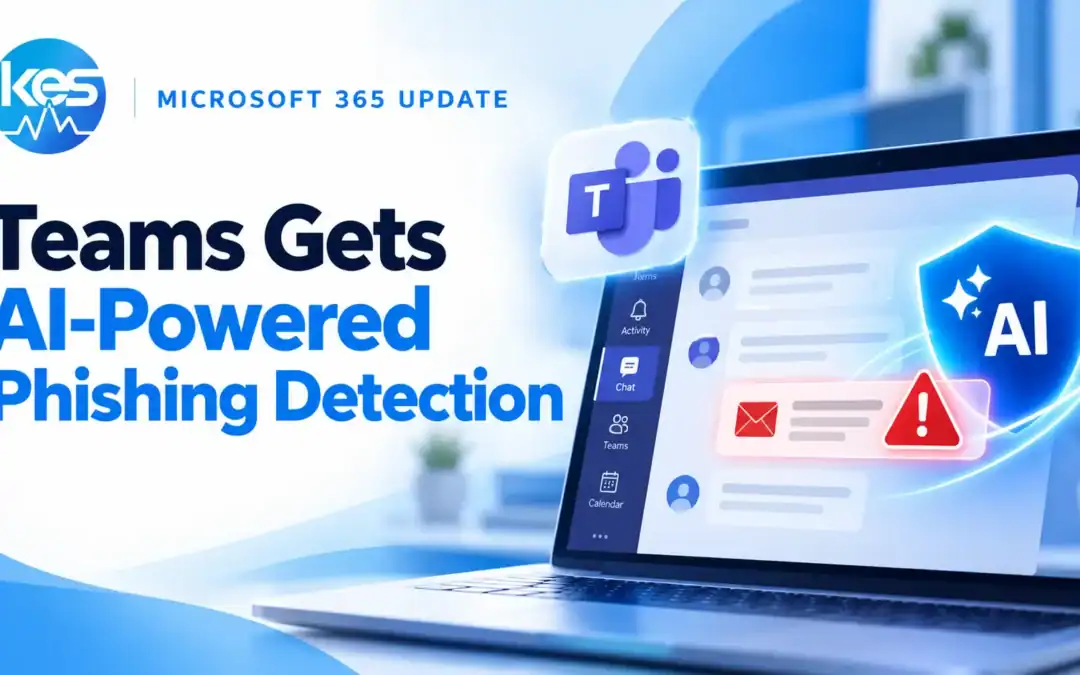
Microsoft Teams is adding AI-powered, context-aware phishing detection to help users spot suspicious chats before they are persuaded to hand over information or access. The protection is designed particularly around conversations started by new external contacts, where an attacker may be pretending to be IT support, Microsoft, a supplier or another trusted person.
If Teams believes a conversation may be malicious, it can display a warning directly inside the chat so the user can stop and verify who they are speaking to before continuing.
This matters because phishing is no longer confined to email. Microsoft has documented a growing number of attacks in which criminals use Teams itself to impersonate IT support and persuade employees to give them remote access to a computer.
What is Microsoft Teams AI-powered phishing detection?
Microsoft describes the new protection as AI-powered, context-aware detection. Rather than looking only for a known bad link or attachment, Teams can use the context of a conversation to identify behaviour associated with phishing and social engineering.
Microsoft says the protection applies to one-to-one and group chats involving new external first-time contacts and is available across Teams on desktop, web and mobile.
The key difference for users is that the warning can appear while the conversation is taking place — before somebody follows an instruction, sends sensitive information or grants access to their device.
What will users actually see?
If Teams identifies a potentially harmful message, it displays a phishing warning inside the chat.
Microsoft advises users to check:
- the identity and email address of the sender
- whether the person is an unfamiliar external contact
- whether the sender is asking for money or sensitive information
- whether the message is trying to create urgency
- whether somebody claiming to be IT support is asking for credentials, verification codes or remote access
If the message is phishing, users should not continue the conversation. Microsoft provides options to block and report the sender. If a legitimate conversation is flagged incorrectly, users can report the message as not a concern.
Phishing training is included in the KES Business User Pack
The KES Business User Pack includes phishing training and simulation for users, alongside Microsoft 365 Business Premium, cyber security, backup and managed IT support — helping staff recognise threats before they become incidents.
Why are attackers using Teams instead of email?
Users have become accustomed to being suspicious of unexpected email. A message inside Microsoft Teams can feel more trustworthy because Teams is normally associated with colleagues, customers and genuine business conversations.
Microsoft Threat Intelligence says attackers have increasingly abused external Teams collaboration to impersonate IT and helpdesk staff. In documented attacks, criminals contacted employees through Teams, claimed there was a problem with an account or computer, and then persuaded the user to start a remote-support session.
Once the attacker had remote access, the incident could progress from a simple conversation into credential theft, malware deployment and wider access to the business network.
Will the AI read private Teams conversations?
The feature does analyse conversation context for the purpose of detecting phishing-related behaviour, but Microsoft specifically says phishing content detection is not used to train AI models.
Microsoft also says the content is not used for conversation summarisation, productivity insights, user monitoring, advertising or other non-security purposes.
For businesses considering AI-assisted security controls, that distinction is important: the stated purpose of this processing is threat detection.
What should users do when Teams shows a phishing warning?
A warning should be treated as a reason to stop and independently verify the request.
- Do not share your password. Genuine IT support should not need it.
- Do not share MFA or verification codes.
- Do not provide financial or other sensitive information through an unexpected chat.
- Do not grant remote control merely because someone claims to be IT support.
- Verify the request separately using a known telephone number or established company contact.
- Block and report suspicious external users rather than continuing the conversation.
Businesses should also make sure employees know how their real IT provider normally contacts them. A simple, established support process makes impersonation much harder.
Does this replace Microsoft Defender for Office 365?
No. Microsoft Teams already has several layers of security, and organisations using Microsoft Defender for Office 365 can apply additional protection against malicious messages, links and files.
The new context-aware phishing detection is another layer aimed at the human side of the attack: identifying when the conversation itself looks like social engineering.
That is useful because a convincing attacker does not always need to send malware. Sometimes the objective is simply to persuade the user to reveal a code, approve access or start a remote session.
What should businesses check?
The new warning is useful, but businesses should not rely on a single Teams feature to stop social engineering.
KES recommends checking:
- whether external Teams communication is configured appropriately
- whether users understand how external contacts are identified in Teams
- whether MFA and Conditional Access are correctly configured
- whether staff know never to disclose verification codes
- whether there is a recognised process for genuine IT remote-support requests
- whether Microsoft 365 security alerts and suspicious sign-ins are being monitored
For more on this wider approach, see our Microsoft 365 monitoring and security management service.
Quick answers
What is the new Microsoft Teams phishing feature?
It is AI-powered, context-aware detection designed to identify potential phishing and social-engineering behaviour in Teams conversations.
Who does Teams check most closely?
Microsoft says the worldwide protection uses conversation context in one-to-one and group chats involving new external first-time contacts.
What happens when Teams detects phishing?
A warning appears in the chat, prompting the user to verify the sender before continuing. Suspicious users can be blocked and reported.
Does Microsoft use these chats to train AI?
Microsoft says phishing content detection is not used to train AI models, provide conversation summaries, monitor productivity or serve advertising.
Can a genuine message be flagged by mistake?
Yes. If the sender is trusted and the warning is incorrect, users can report the flagged message as not a concern.
What information should I never give to an unexpected Teams contact?
Do not share passwords, verification codes, financial information or other sensitive information with an unexpected contact.
Sources
